
Photo-to-sketch conversion software that transforms images into artistic drawing and painting effects.

Vendor
XnSoft

Company Website


Overview
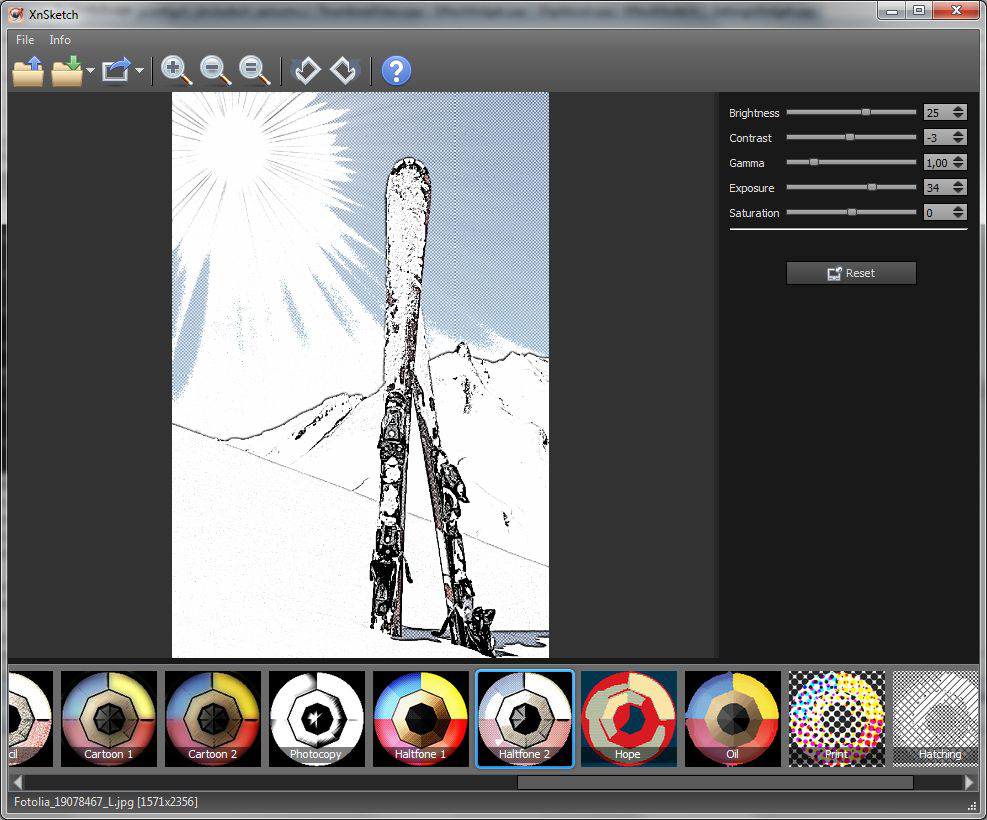
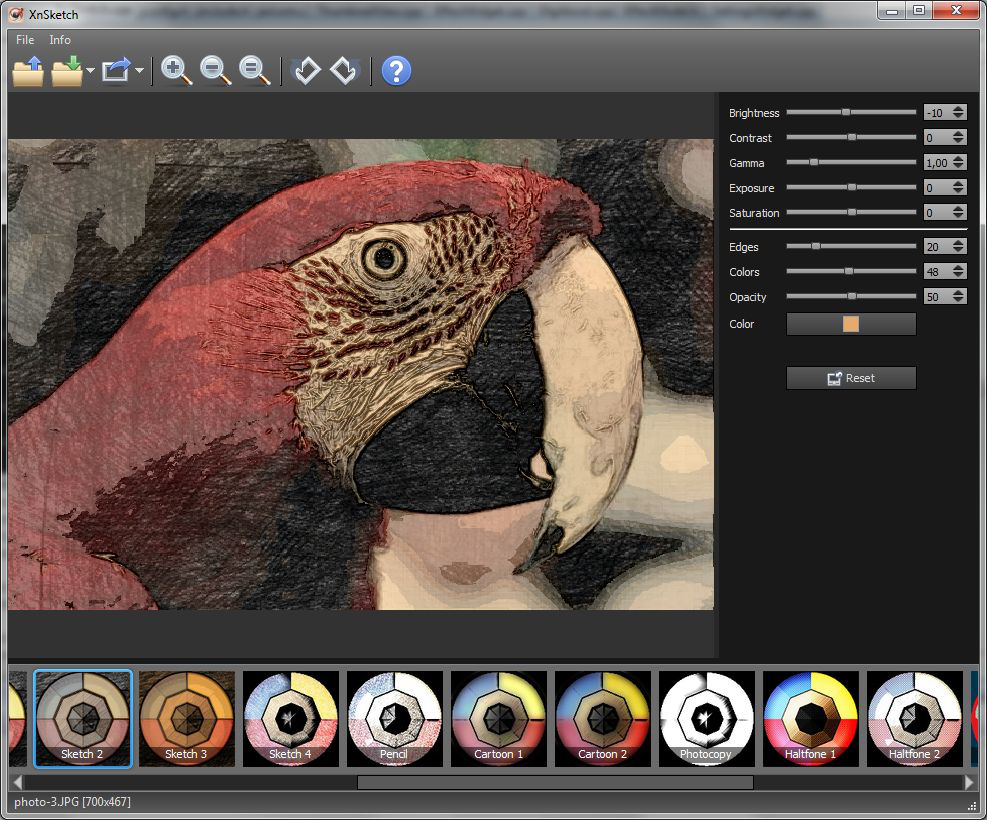
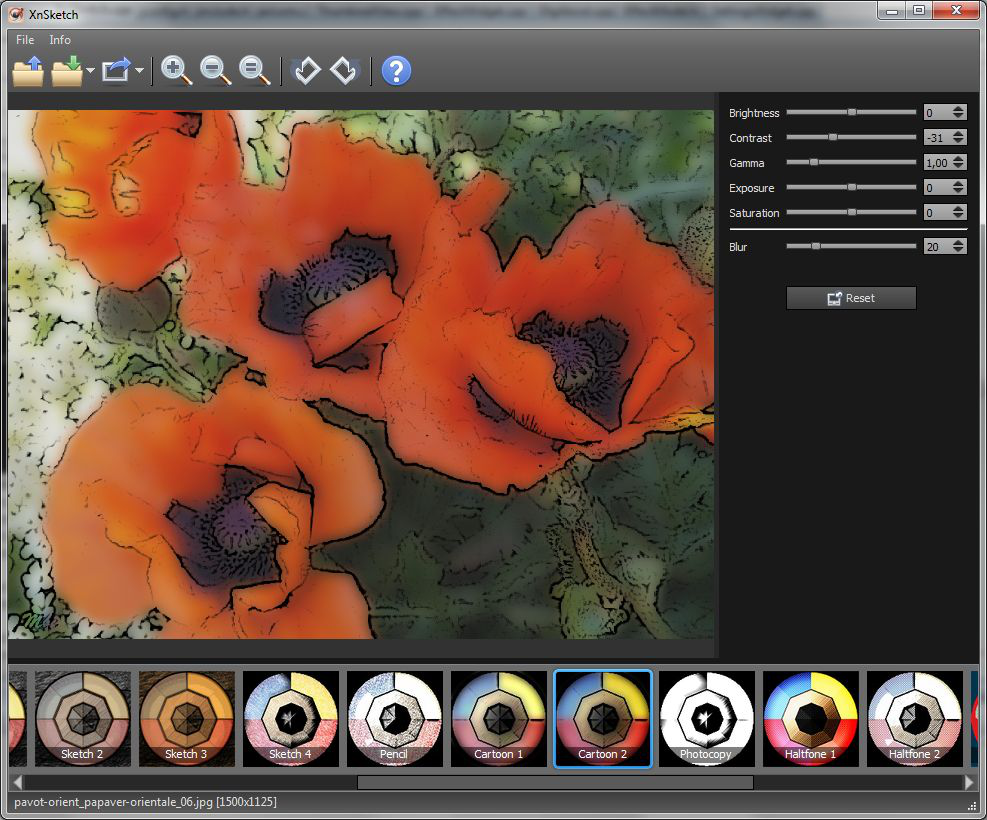
XnSketch is an image processing application designed to transform digital photos into artistic sketches, drawings, and painting-style images. The software allows users to apply a wide variety of stylized visual effects that simulate pencil sketches, cartoons, watercolor paintings, and other artistic renderings. It is developed for photographers, designers, illustrators, and casual users who want to create artistic visuals from existing images without advanced graphic design skills. The application provides an intuitive interface that enables users to load images, preview effects in real time, and export the final artwork in multiple file formats. XnSketch supports various customization options, allowing users to adjust contrast, brightness, smoothing, and color intensity to refine the artistic output. The tool is available across multiple platforms and is optimized for quick processing and simple usability.
Features and Capabilities
- Artistic Effect Generation: Converts photographs into multiple artistic styles including sketches, cartoons, watercolor, pastel drawings, and painting simulations while preserving visual structure and subject details.
- Extensive Preset Library: Provides a broad selection of built-in artistic filters that allow users to quickly transform images using pre-configured effect styles optimized for different visual outcomes.
- Real-Time Effect Preview: Enables users to view immediate visual results while adjusting filters, allowing efficient comparison of artistic styles and faster creative decision-making.
- Advanced Image Adjustment Controls: Offers customization tools including brightness, contrast, gamma correction, smoothing levels, and color saturation to refine artistic output quality.
- Edge Detection and Sketch Rendering: Uses automated edge recognition technology to create detailed line drawings and enhance sketch realism through accurate contour extraction.
- Color and Monochrome Conversion: Supports transformation of images into grayscale sketches or fully colored artistic renderings, enabling diverse creative design outputs.
- Batch Processing Capability: Allows users to apply artistic filters and transformations to multiple images simultaneously, improving productivity for bulk image editing workflows.
- Multi-Format File Compatibility: Supports import and export of widely used image file formats such as JPEG, PNG, TIFF, and BMP, ensuring seamless integration into existing creative processes.
- Cross-Platform Functionality: Designed to operate across Windows, macOS, and mobile environments, providing flexibility for users working across different devices.
- Export and Content Sharing Options: Enables users to save and distribute finished artwork for digital publishing, marketing materials, social media content, or personal creative projects.