

XnShell is a Windows Explorer extension adding quick image preview, conversion, and editing tools to the right-click menu.

Vendor
XnSoft

Company Website


Overview
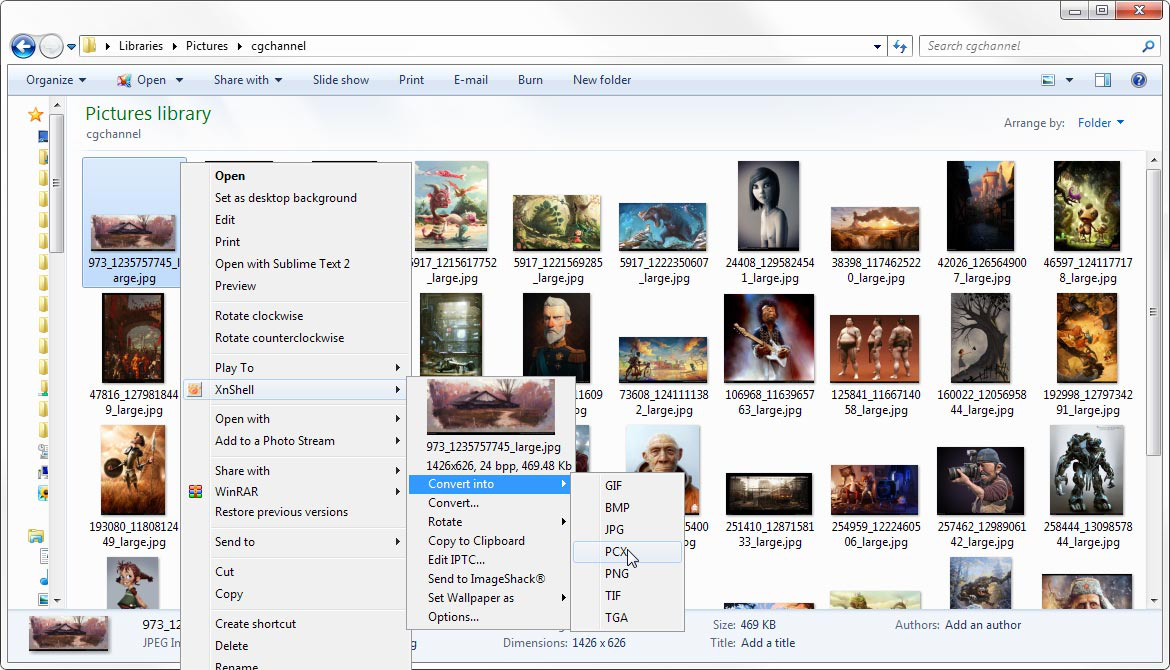
XnShell (XnView Shell Extension) is a lightweight Windows Explorer extension designed to streamline everyday image management tasks by embedding advanced image tools directly into the Windows context menu. By integrating seamlessly with Windows Explorer, it allows users to perform common image operations such as previewing thumbnails, converting file formats, resizing, rotating, and accessing metadata without opening separate image editing software. This reduces workflow interruptions and improves productivity, particularly for users who frequently manage large image libraries or perform repetitive editing tasks. The extension is built to complement the broader XnView ecosystem while functioning independently as a fast and resource-efficient utility. XnShell supports a wide range of image formats and enables users to perform bulk operations on multiple files simultaneously. Its intuitive right-click access ensures quick usability for both technical and non-technical users. With its minimal system footprint, customizable menu options, and freeware licensing model, XnShell provides a practical solution for enhancing Windows-based image handling workflows across personal and professional environments.
Features and Capabilities
- Core Functionality: Integrates advanced image management and editing actions directly into the Windows Explorer right-click context menu, allowing users to execute common operations instantly without launching dedicated editing applications or switching between programs.
- **Preview & Thumbnails: **Enables rapid thumbnail previews and quick image viewing within Windows Explorer, allowing users to visually identify files, verify content, and streamline navigation through large image collections.
- **Format Conversion: **Supports conversion between numerous image file formats, including commonly used and specialized formats, enabling improved compatibility across applications, platforms, and publishing or distribution requirements.
- **Image Manipulation: **Provides essential editing capabilities such as resizing, rotating, flipping, and orientation adjustments directly from the context menu, allowing users to quickly prepare images for documentation, web usage, or distribution.
- **Batch Processing: **Allows users to perform simultaneous conversions or modifications on multiple image files, significantly reducing manual effort and improving efficiency for repetitive or large-scale processing tasks.
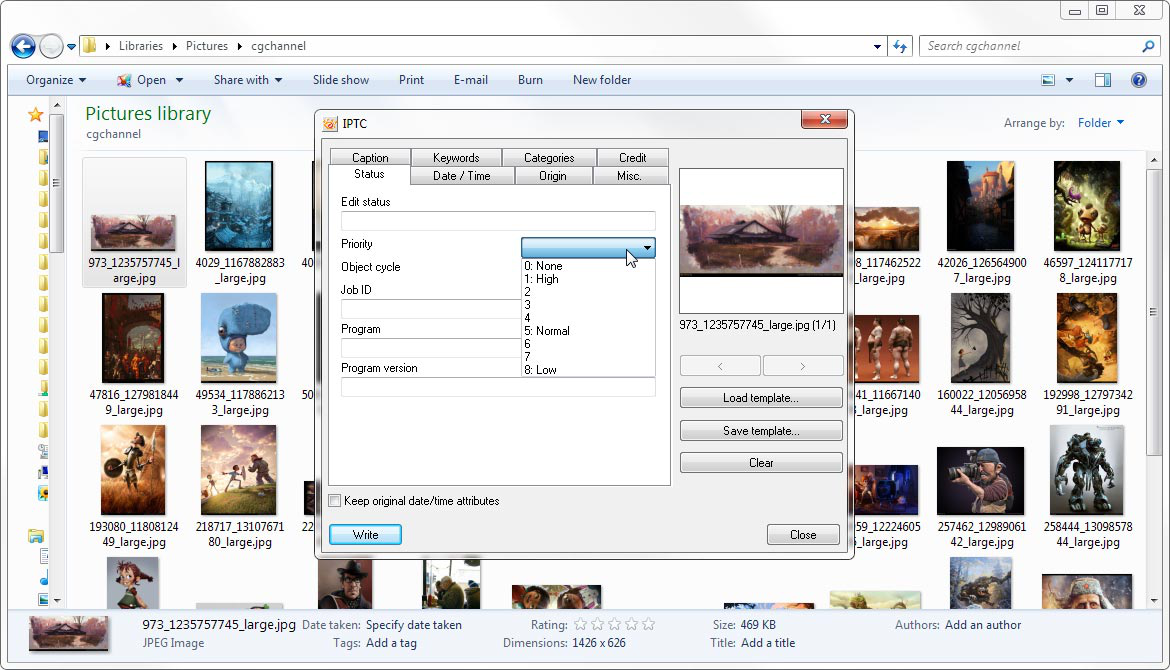
- **Metadata Support: **Supports viewing and editing of embedded metadata such as IPTC information and other image properties, enabling better file organization, asset tracking, and compliance with digital asset management standards.
- **Clipboard & File Information Tools: **Enables direct copying of images to the clipboard and provides quick access to file details and technical properties, assisting users in performing rapid file sharing and verification tasks.
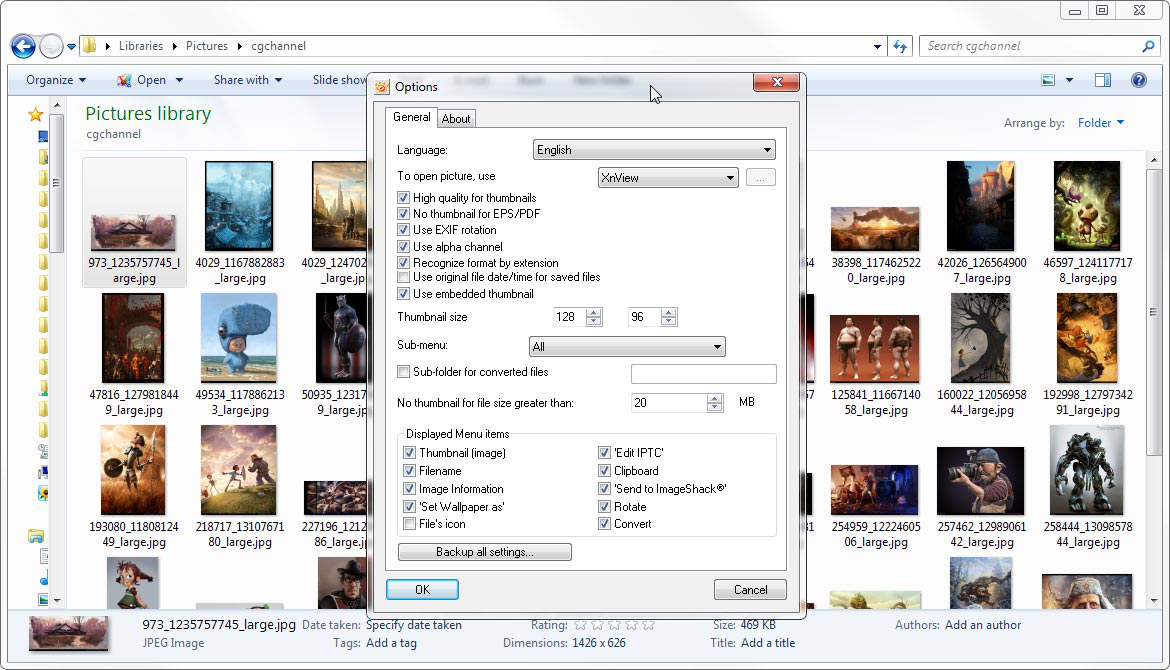
- **Lightweight & Customizable: **Designed with a small installation footprint and efficient performance, while allowing users to customize context menu entries and preview settings according to individual workflow preferences.
- **Freeware License: **Distributed as a freeware utility without adware or spyware, offering cost-effective access to professional-grade image management features with optional community-supported donations.