

VisualSVN ServerVisualSVN
Professional Subversion integration and enterprise-ready Subversion server solutions for Windows developers and teams.

Vendor
VisualSVN

Company Website


Product details
Overview
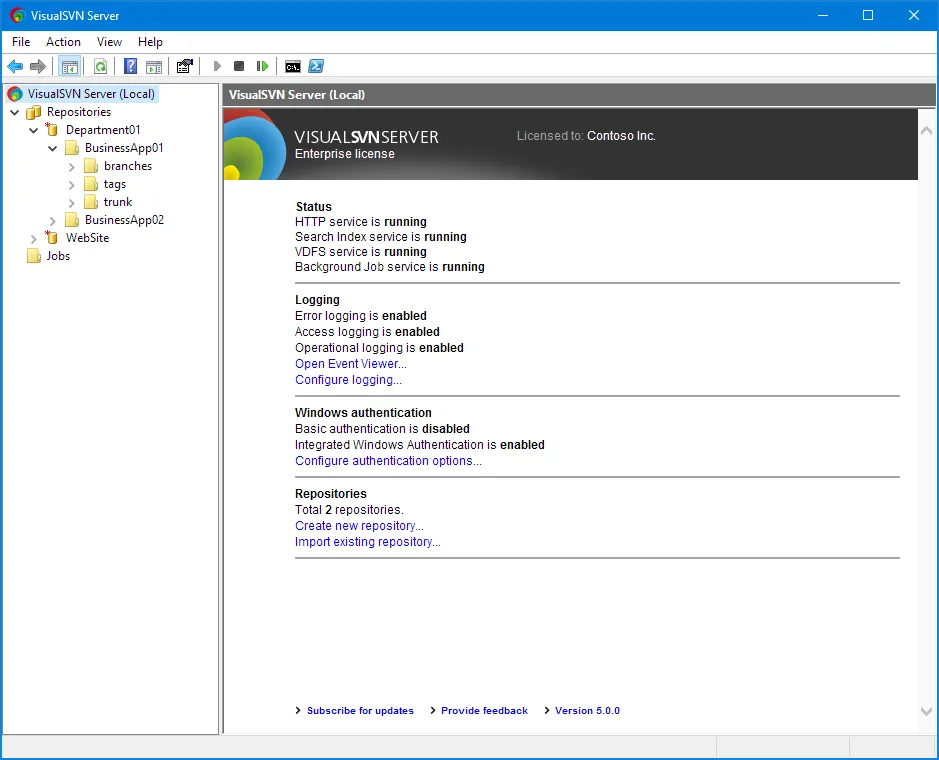
VisualSVN delivers enterprise-grade version control solutions based on Apache Subversion for Windows environments. It consists of two core offerings: VisualSVN for Visual Studio, a professional Subversion integration plugin that embeds SVN version control directly into the Visual Studio IDE, and VisualSVN Server, a ready-to-install Subversion repository server optimized for Windows systems with easy configuration, secure authentication, and full Subversion standard support. VisualSVN products aim to help development teams manage source code history, simplify collaboration, and maintain reliable, versioned storage.
Features and Capabilities
- **Subversion Client Integration: **Seamless Subversion integration within Microsoft Visual Studio enabling real-time change tracking, version comparison, commits, updates, branching, and file operation management directly from the development interface.
- **Reliable Performance: **Out-of-process execution architecture isolates Subversion operations from the IDE, minimizing crashes, improving responsiveness, and ensuring stable performance during complex repository interactions.
- **Server Installation & Management: **Provides a streamlined, single-package installation that deploys a fully operational Subversion server on Windows, including automated configuration of repositories, web services, and management tools.
- **Authentication & Security: **Supports enterprise-grade security through Active Directory Single Sign-On, NTLM and Kerberos authentication protocols, encrypted HTTPS connections, and optional multi-factor authentication for enhanced access protection.
- **Repository Features: **Offers scalable repository storage, detailed revision history, version tracking, branching and merging capabilities, and full-text search across repository contents and commit history.
- **Web Interface: **Includes a modern HTML5-based repository browser that allows users to explore repository structures, view code changes, review revision histories, and perform file searches through a web-based interface.
- **Automation & Administration: **Provides PowerShell automation support, remote repository administration, permission delegation, and centralized management features that simplify operational maintenance and governance.
- **Backup & Restore: **Integrated backup and restore functionality enables scheduled and hot backups without service interruption, ensuring business continuity and reliable disaster recovery options.
- **Logging & Compliance: **Comprehensive logging capabilities record user activity, repository access, and system operations through Windows Event Log integration, supporting compliance, auditing, and monitoring requirements.