

Swat.io Inbox is a central one-stop inbox for your social media community management. Reply to comments, messages and ratings on all channels and use features such as like, hide and delete. The assign feature makes it easy to delegate tasks to your team. For help with tricky cases, simply forward tickets or share information internally.

Vendor
Swat.io

Company Website
Inbox Zero at Your Fingertips
As a community manager, you can respond to queries quickly without losing track of what you’re doing or missing any conversations.
A Relationship With Your Community Requires Structure
When it comes to community management, do you feel like you never get anything done? Interacting with your followers is about more than just having a chat. Lots of work without the right structure can lead to an endless to-do list. Team performance can suffer, and you may find yourself providing an unsatisfactory service.
Made by Social Media Professionals, for Social Media Professionals
We've been focusing on the demands of professional social media teams since 2010. From single-person companies to international corporate groups, every organization needs to have clarity and control in order to free up more time for important social media management tasks. Over 17,000 users currently rely on our expertise.
More Time for Efficient Communication
With Swat.io, you’ll improve your team coordination, keep track of how you’re doing, and create clear structures and processes. This frees up more time to build genuine relationships with your community.
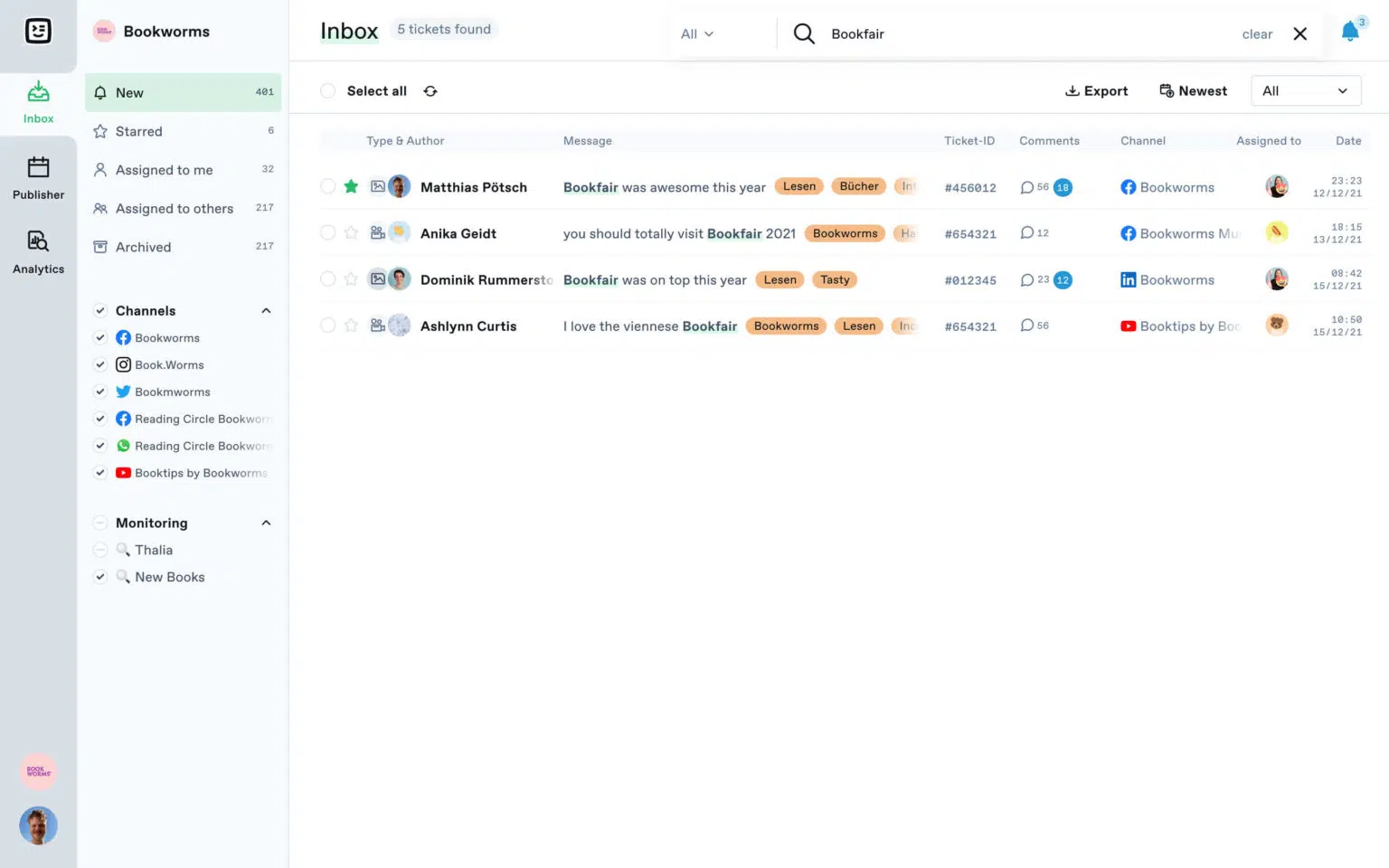
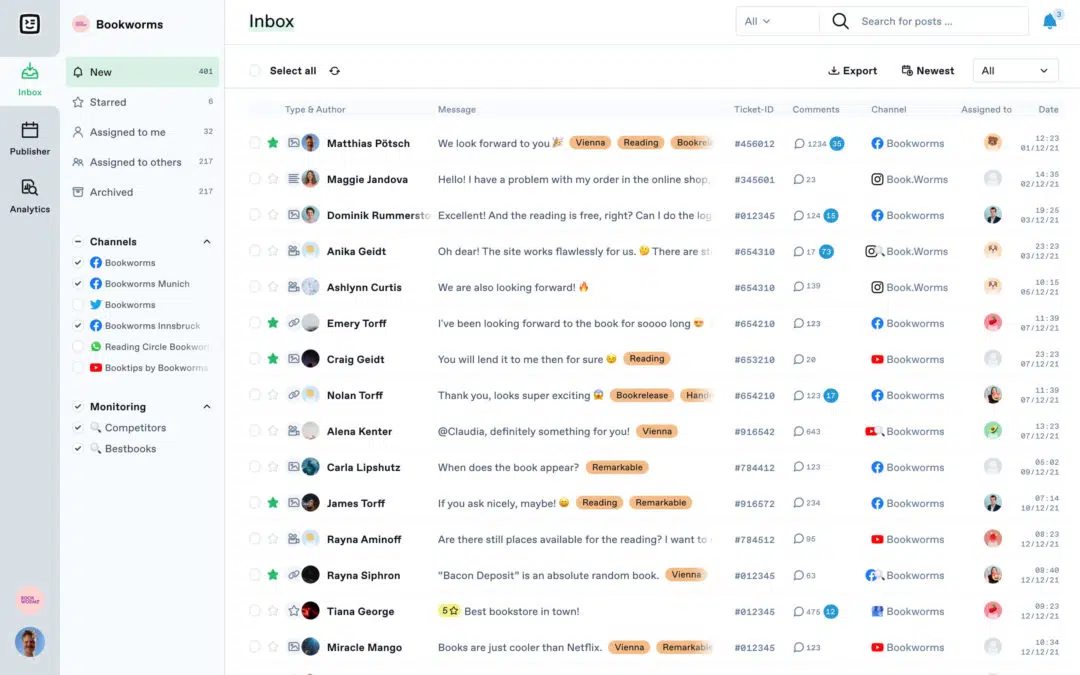
One Ticket Inbox for All Channels
Manage all of your social media communication from one place. Swat.io Inbox shows your messages and mentions from all channels in one easy-to-use inbox. You can like, hide, delete or reply to comments straight from the inbox.
Assigning Tickets and Internal Coordination
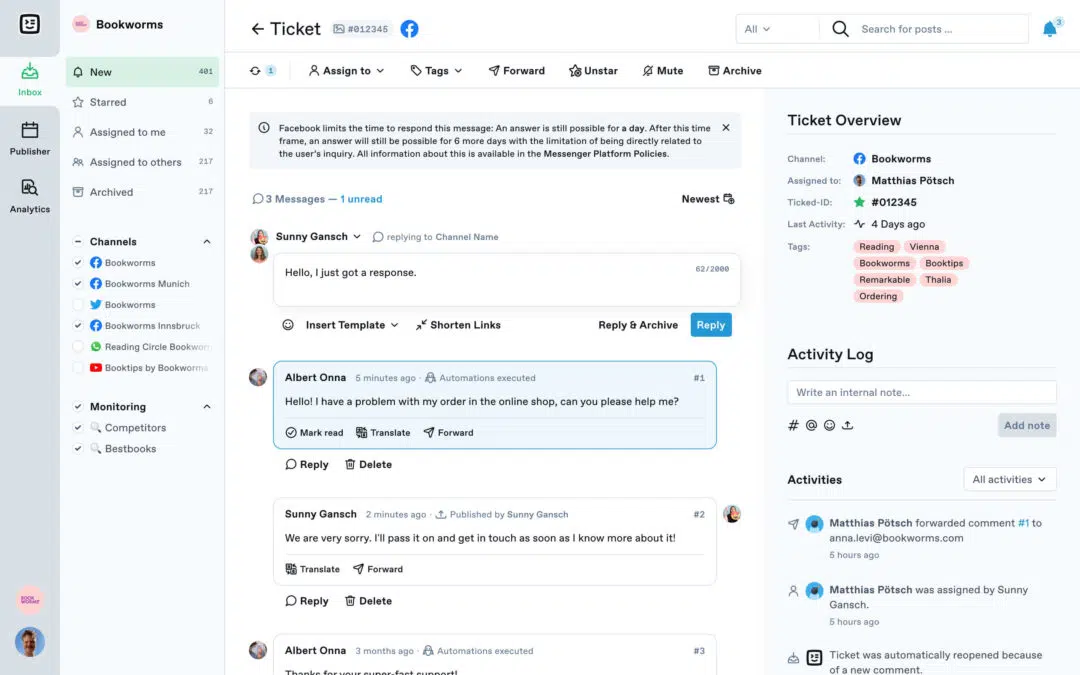
Send tickets to the right team member with just one click. This helps avoid complicated email coordination and makes it easy to track responsibilities. If you have any questions, you can coordinate with colleagues in the internal log.
Ticket Log for 100% Transparency
Each action relating to a ticket is stored in the log. Never lose track of who has been assigned or responded to what, or when a ticket was archived. All communication is easy to trace.
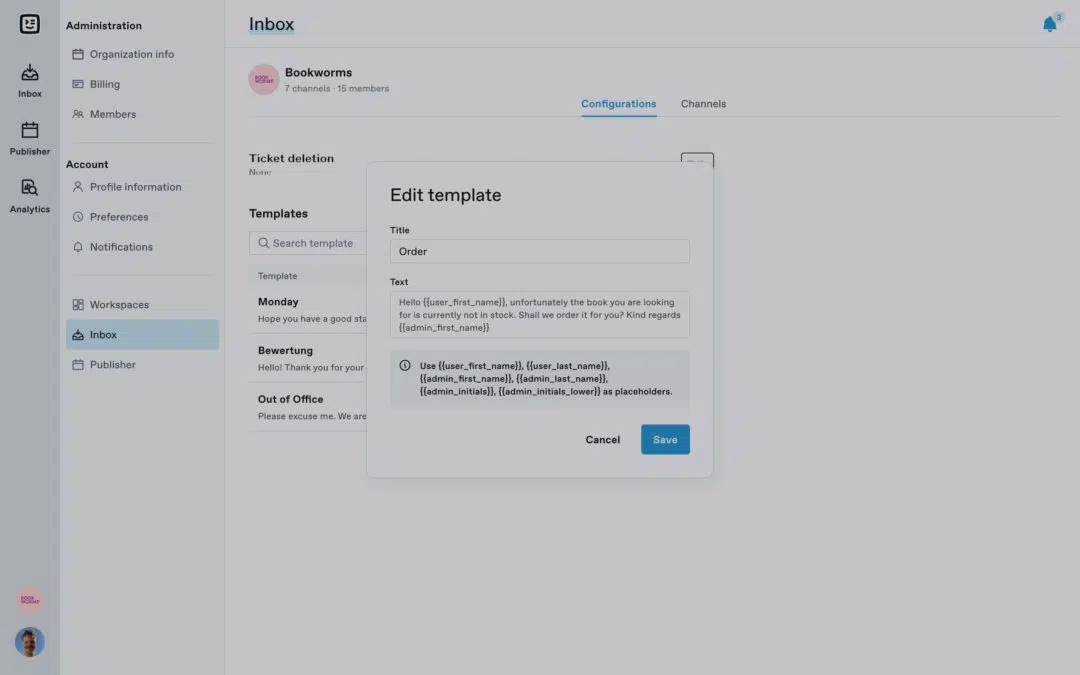
User-Defined Reply Templates
Save time when dealing with frequently asked questions from your community. Use reply templates to create customized responses you can add with just a few clicks. Select, modify, send – done.
Automation for Routine Tasks
Reduce your manual workload with our automation features. Create keyword-based tasks to automate jobs like assigning tickets, archiving, adding tags or marking as read.
Analyzing Team Performance and Your Community
You can access the latest data from all media channels at any time in the analysis area. Analyze how actively your community is interacting, how the mood is developing and how your team is doing when it comes to community management.
Swat.io Inbox Features You’ll Love
One Login for All Social Media Channels
Sharing logins and sending passwords across your team are a thing of the past. Everyone has their own Swat.io account login to access the channels they need.
Transparent Activity Log
The activity log stores all key details and shows who has written a reply or is currently assigned to a ticket or query.
Customer Relationship Management
Link user profiles on different platforms and record important information on your community.
Email Forwarding
Need advice from someone with no access to Swat.io? You can forward the ticket by email with just one click.
Web Monitoring
The internet is talking about your brand. You can receive tickets for mentions where you haven’t been directly tagged.
Roles and Permissions
Are there different roles within the team? Define who can do what and access which areas.
Filtering Comments
Not all messages require your attention. Comments containing only @-tags or emojis can be automatically marked as read.
Tags
Whether for campaigns, post formats or content hooks, tags offer endless ways to categorize tickets.
Reply in community management with the help of AI
Give AI some keywords as directions and get suggestions for replies.