
SSIS add-on enabling integration between Microsoft Dynamics 365 and other systems via specialized connectors.

Vendor
KingswaySoft

Company Website
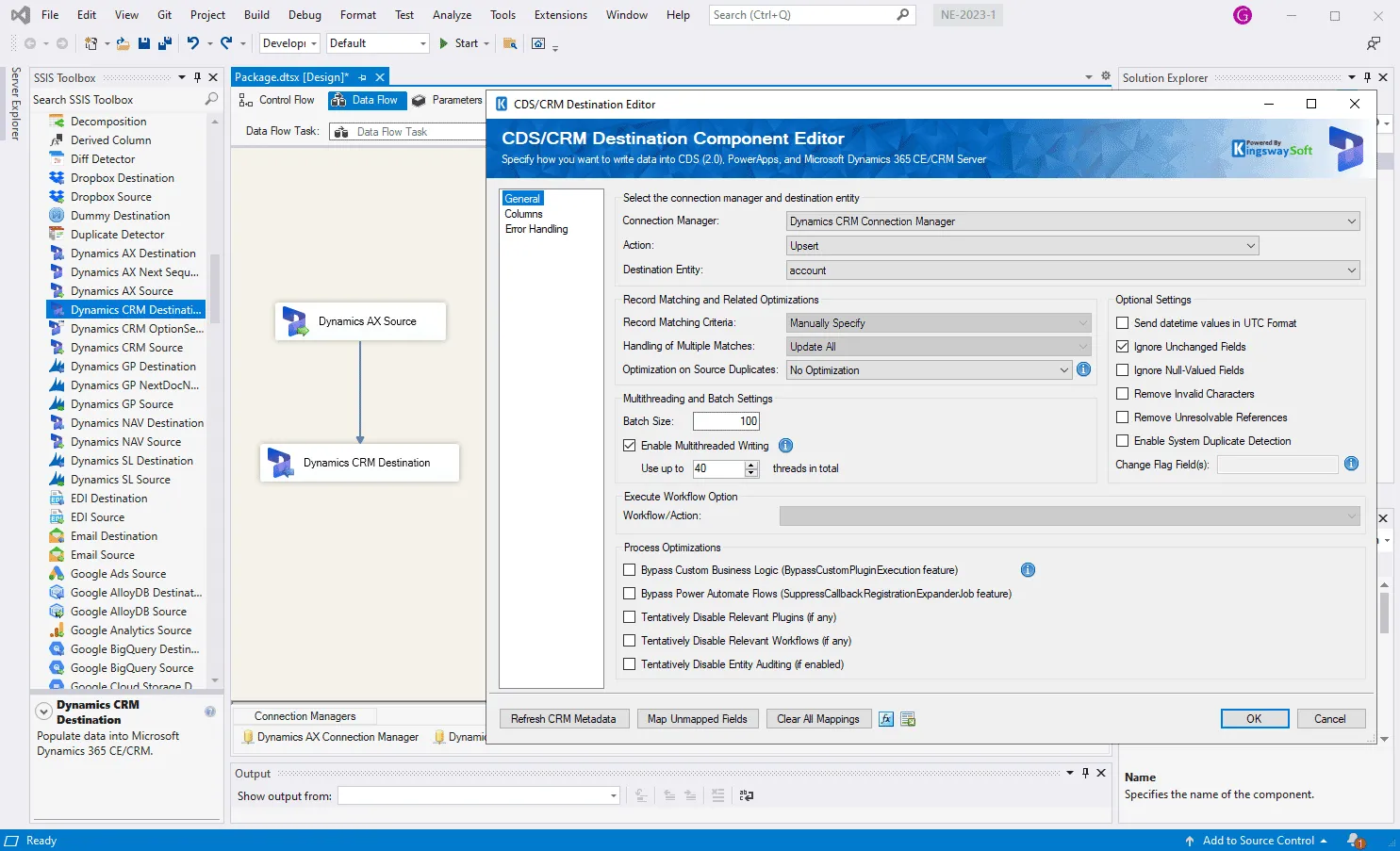
SSIS Integration Toolkit for Microsoft Dynamics 365 by KingswaySoft is an extension for Microsoft SQL Server Integration Services (SSIS) that enables structured data integration with Microsoft Dynamics 365 applications. The toolkit provides dedicated connection managers, source and destination components, and utility tasks designed specifically for Dynamics 365 (including Dataverse-based applications such as Dynamics 365 Sales, Customer Service, Marketing, and Finance-related modules). It allows developers to read, write, update, delete, and synchronize data between Dynamics 365 and external systems within SSIS packages. The solution integrates directly into the SSIS design environment (Visual Studio / SSDT) and supports both on-premises and cloud-based deployments, including Azure-SSIS Integration Runtime. It supports various authentication methods and APIs provided by Microsoft for Dynamics 365 and Dataverse. The product is intended for data engineers, integration developers, and organizations that require controlled, repeatable ETL processes between Microsoft Dynamics 365 and enterprise databases, applications, or data warehouses.
Key Features
Dynamics 365 Connection Manager Provides secure connectivity to Dynamics 365 and Dataverse.
- Supports modern authentication (OAuth-based)
- Online and on-premises connectivity
- Configurable service endpoints
Dynamics 365 Source Component Extracts data from Dynamics 365 entities.
- Query support using FetchXML or system queries
- Metadata-driven entity selection
- Support for incremental data loads
Dynamics 365 Destination Component Loads data into Dynamics 365.
- Create, update, delete, and upsert operations
- Bulk data operations
- Duplicate detection handling
Dynamics 365 Task Component Performs non-data-flow operations.
- Execute system requests and messages
- Manage records programmatically
- Automate administrative or operational tasks
Metadata-Driven Design Leverages Dynamics 365 entity metadata.
- Automatic retrieval of entity schema
- Field mapping support
- Support for custom entities and fields
Error Handling and Logging Supports structured ETL control.
- Detailed execution logs
- Configurable error output
- Retry logic for transient faults
Deployment Flexibility Works across supported SSIS environments.
- SQL Server Integration Services (multiple versions)
- Azure-SSIS Integration Runtime
- 32-bit and 64-bit runtime support
Benefits
Reliable Enterprise Integration Enables structured data exchange between systems.
- Controlled ETL processes
- Scheduled and repeatable integrations
- Centralized management within SSIS
Reduced Development Effort Minimizes need for custom API coding.
- Pre-built connectors
- Visual configuration interface
- No need for manual REST or SDK implementation
Support for Complex Scenarios Handles advanced Dynamics 365 operations.
- Large data volumes
- Incremental synchronization
- Support for custom entities and relationships
Improved Data Quality and Consistency Facilitates structured transformation and validation.
- Field mapping controls
- Duplicate detection support
- Standard SSIS transformation capabilities
Flexible Infrastructure Options Supports different deployment models.
- On-premises SQL Server
- Cloud-based Azure-SSIS runtime
- Hybrid integration scenarios