
SecureFX is a high-security file transfer client with great flexibility in configuration and transfer protocols. SecureFX includes a command-line utility (SFXCL) for scripting batch jobs to perform secure unattended file transfers using the Secure Shell protocol (SSH). SecureFX also supports "relentless" file transfers that automatically reconnect and resume when transfer connections are broken.

Vendor
VanDyke Software

Company Website
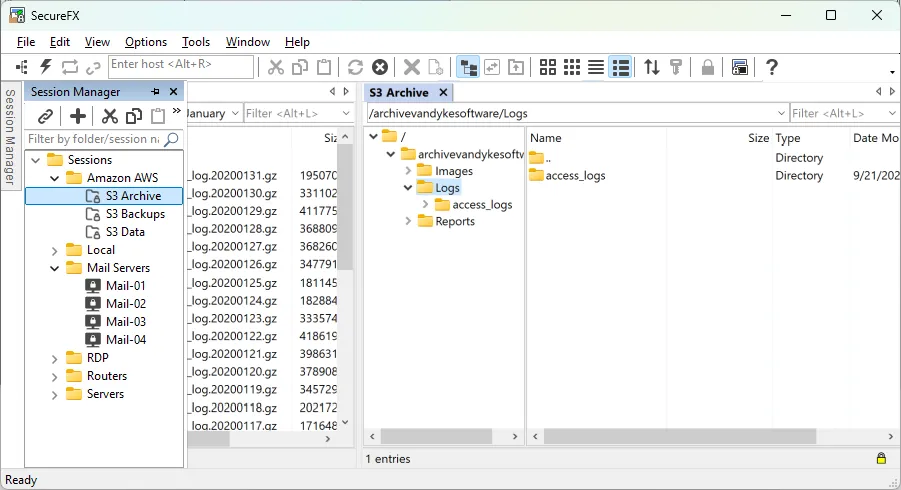
Our flexible secure file transfer client gives you the tools you need to increase the security and efficiency of file transfer operations and site synchronization.
Our flexible file transfer client for Windows, macOS, and Linux gives you the tools you need to increase the security and efficiency of file transfer operations and site synchronization. SecureFX's user-friendly interface makes it easy to learn, and support for multiple platforms allows you to apply the strong encryption and authentication mechanism of Secure Shell protocol to your data in transit.
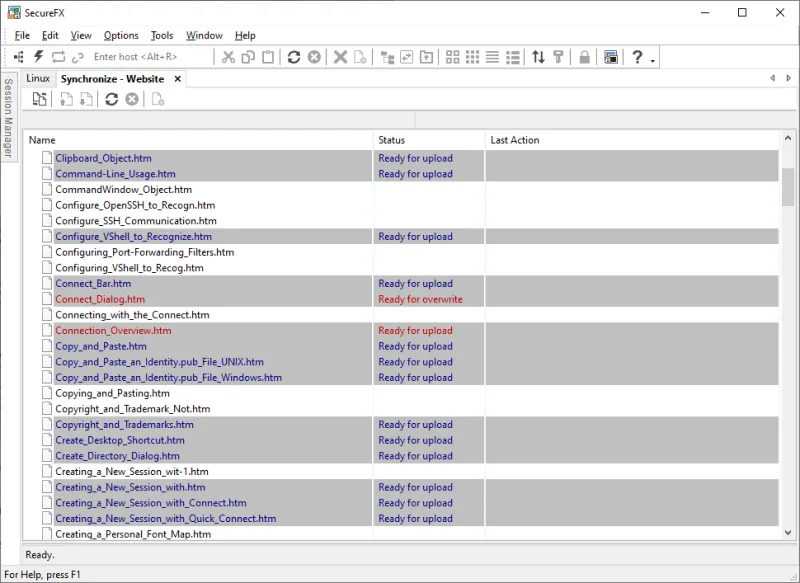
Site Synchronization
SecureFX site synchronization handles upload, download, and true mirroring transfers between a local and remote system or between two remote systems (server-to-server). Filter your file selection with wildcard support, and store commonly used configurations in the synchronize database for quick recall.
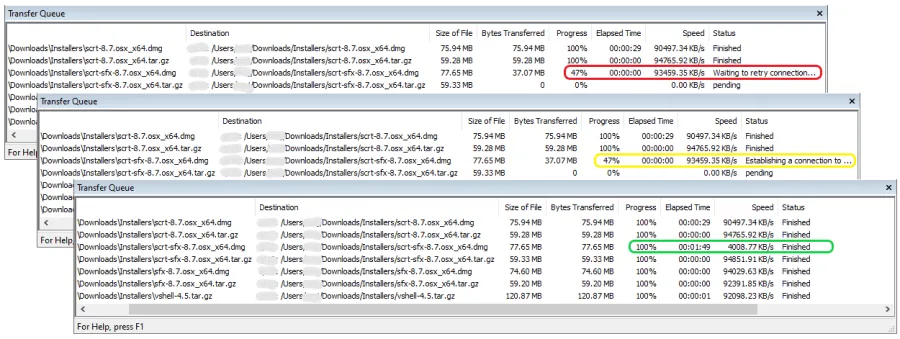
Resume Interrupted Transfers
SecureFX assures recovery when transfers are interrupted, automatically resuming multi-file transfers. Relentless file transfer automatically reconnects and resumes transfer after a broken connection.
Authentication
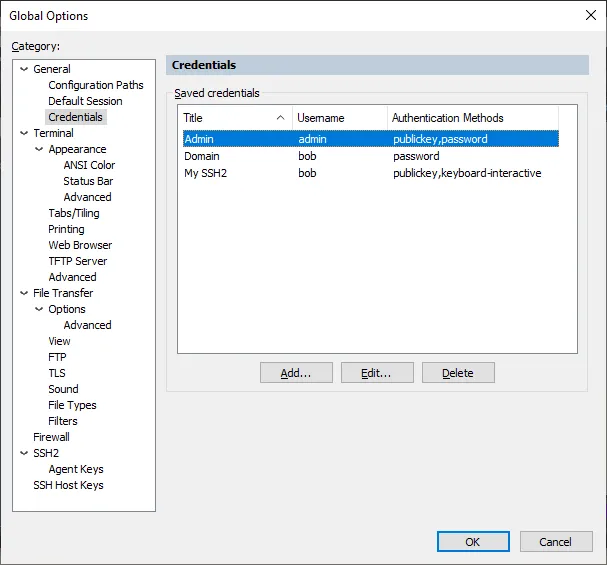
Saving sets of credentials simplifies local password management within SecureCRT and SecureFX. Rather than specifying credentials for each saved session, sessions can reference a global set of credentials, making it easier to update stored passwords. SecureFX supports password, public key, Kerberos v5 (via GSSAPI), and keyboard interactive authentication methods. Public key support includes RSA, Ed25519, ECDSA (RFC 5656), DSA, PuTTY PPK, OpenSSH certificates, and X.509 including smart cards (PIV/CAC).
S3 Secure Cloud Compatibility
Transfer files to and from Amazon AWS S3 and other S3-compatible secure cloud storage services.
Multi-Platform Support
Network professionals and their users can run the same file transfer application on Windows, Mac, and Linux workstations, with common functionality and user interface. Add close integration with SecureCRT and you have a powerful system for maximum productivity.
Key Benefits
Maintain file systems and documents securely. Transfer files across networks and the internet with a choice of SSH2 SFTP, FTPS (FTP/TLS), HTTPS (WebDAV and Amazon S3), SCP, or FTP and HTTP for access to legacy systems. Get started quickly. Connect to sessions from the main application window using the Connect bar, then organize those sessions with the easy-to-learn tabbed interface. Leverage the high-productivity UI. Drag and drop files to start transfers, even between SecureFX and applications like WinZip. Quickly find the files you want to work with using the filter view, bookmarks, and the address bar. Synchronize files. Upload, download, and mirror files. Use filtering to include or exclude files or file types. Store configurations for multiple sites. Recover more easily from failed or interrupted transfers. SecureFX works to complete interrupted transfers, automatically resuming multi-file transfers. Transfers can be manually paused and resumed from the transfer queue. Implement smart cards for highly secure, two-factor authentication. SecureFX supports X.509 smart cards (PIV/CAC) with the ability to select a specific certificate to be used for public-key authentication. Save steps with integrated SecureFX and SecureCRT®. Set up connections with shared sessions and server host keys. Common sessions and settings reduce repeated steps. Make transfers unattended. The SFXCL command-line client (available for Windows and Linux applications only) enables unattended file transfers. You can also use the built-in task scheduler (Windows only) to schedule transfer and synchronize operations once or at recurring intervals. Comply with Federal standards. Use security protocols that help meet HIPAA, SOX, and other guidelines, including FIPS 140-2.