
NetDrive is a mounting tool which allows to connect to various cloud services or remote file storages as if it is a local drive.

Vendor
Bdrive

Company Website
Access your cloud storage as a local drive
NetDrive is the very starting point of the remote work which supports with stable connection to the desktop, superfast file transfer, file security and ease of use. Particularly Team Drive and File Lock function has immediate effect when collaborating as a team. Growing interest in NetDrive White Label and NetDrive SDK recently widened the business into the public and corporate as well.
In 2018, Bdrive successfully launched another service CloudSync. It provides stable and fast synchronization between cloud storages and it is gradually becoming popular among IT experts. Bdrive provides online support for general/technical inquiries, and rarely but necessarily proceeds a customer remote session to solve unexpected technical issue as well.
Now facing inevitable remote work era after the Coronavirus Disease-19 (COVID-19) pandemic, we wish you may give a try with NetDrive which provides you the same working environment wherever you are either in your office, at home, on business, while travelling and more.
Features
- **Access remote files as local files: **You can access your remote files as if it is on your local drive using Windows Explorer, macOS Finder and all of your softwares.
- File Browser - With File Browser you can open, download, rename and delete remote files without mount. - File Browser works without overheads of Windows Explorer and macOS Finder and provides easy and fast access to your files.
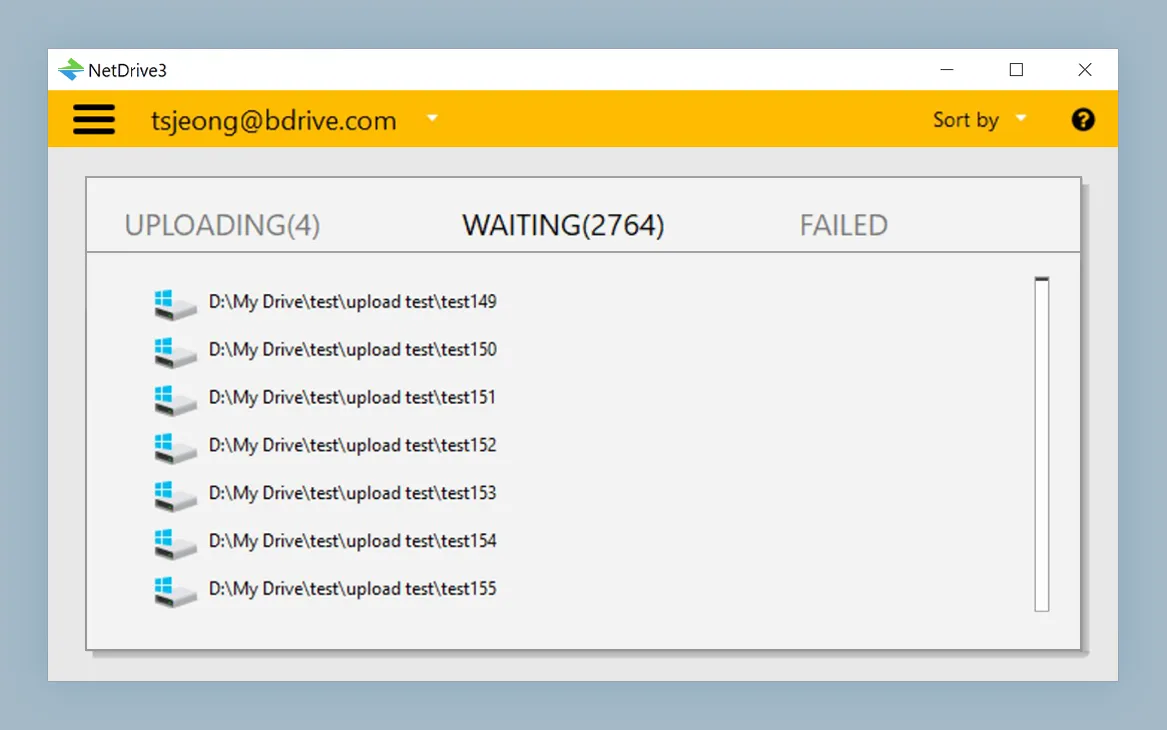
- **Background uploading: **With background uploading, NetDrive 3 uploads your files to remote storage without overheads and you will not want to live without this feature.
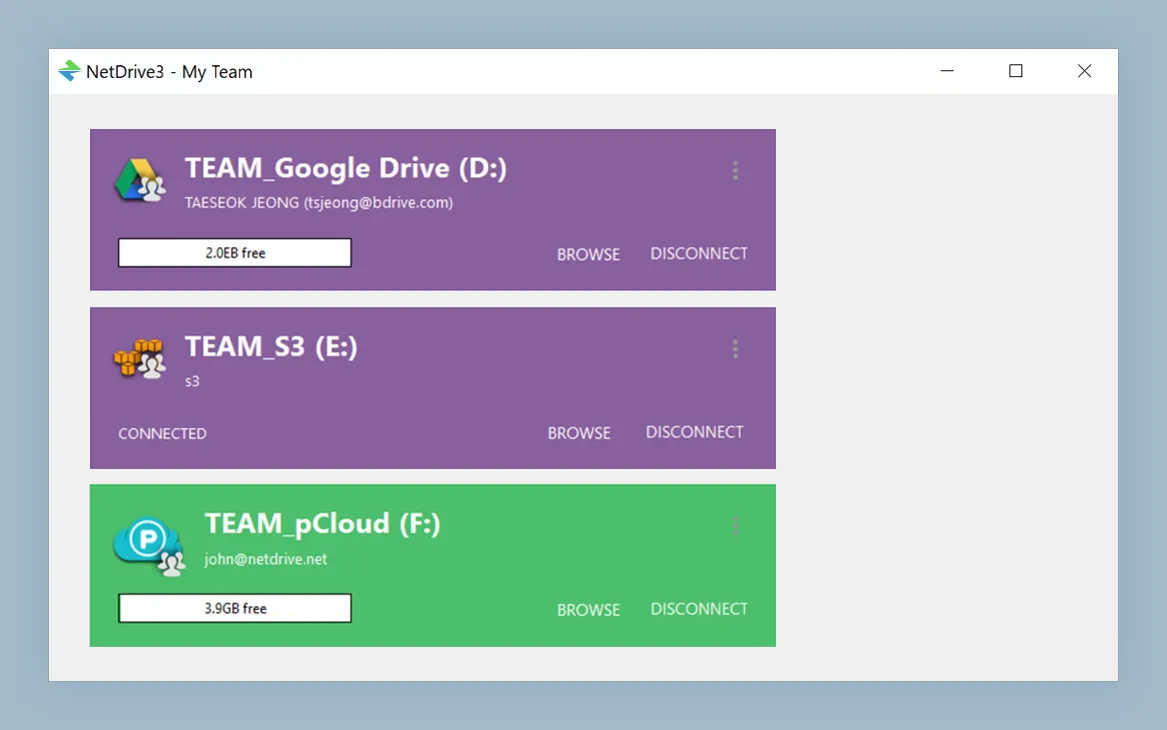
- **Team Drive: **Team drive provides same drive configuration for all members. Team maintainer can configure and publish unlimited number of team drives to members. Published team drives are added to member's drive list immediately and members use their own credential to access and mount team drives.
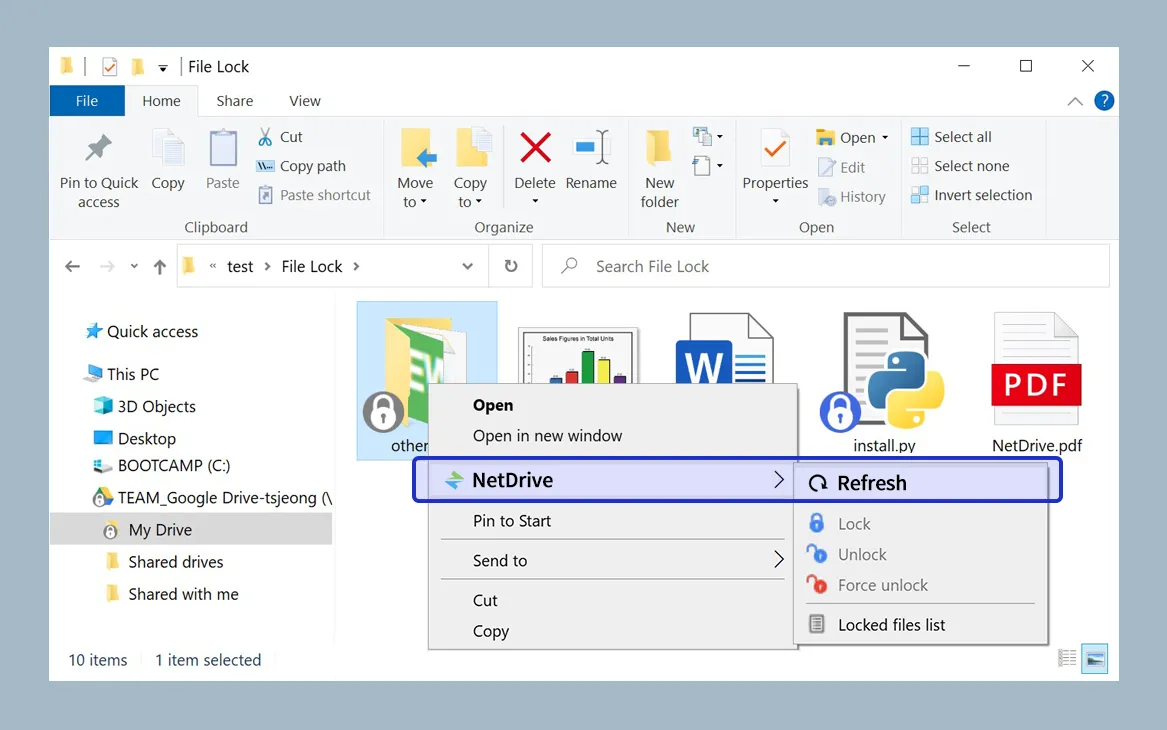
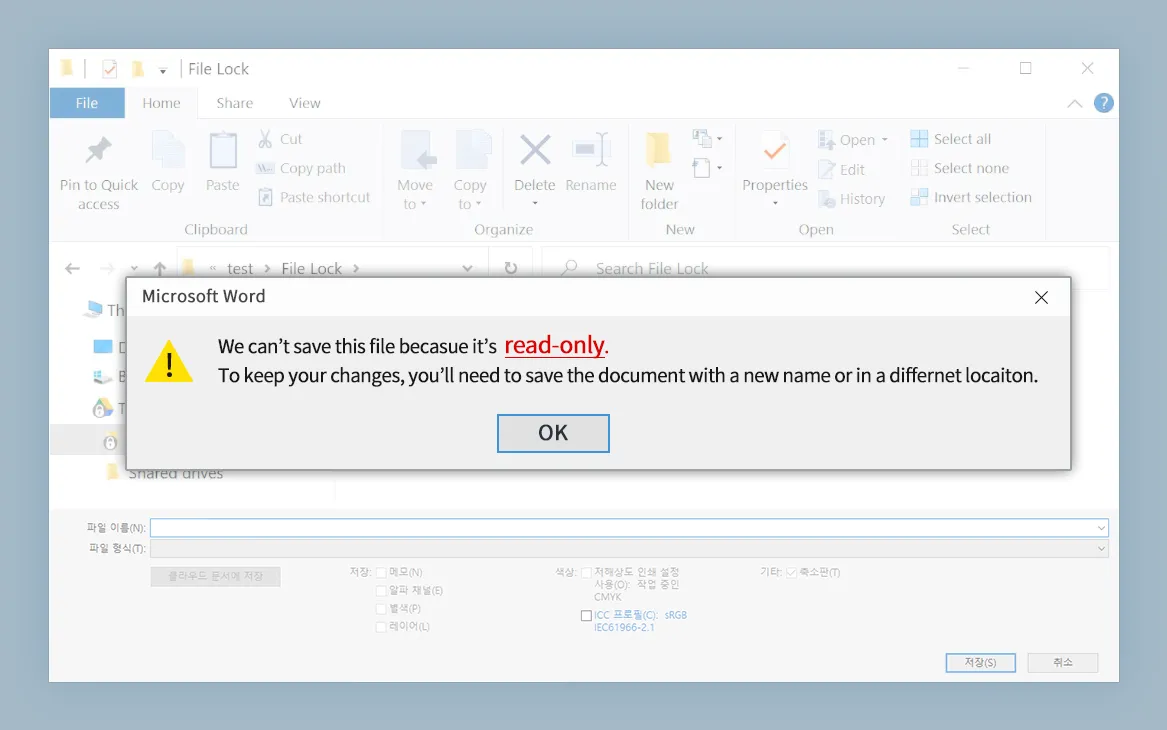
- **File Lock: **With NetDrive you can lock all kinds of files including Microsoft Office files. Only file lock owners can overwrite locked files. Other users cannot delete, rename or overwrite locked files. You can lock, unlock or force unlock files from Explorer (Windows) and Finder (macOS) context menu.