

High-performance command-line tool for batch image conversion, processing, and automation.

Vendor
XnSoft

Company Website


Overview
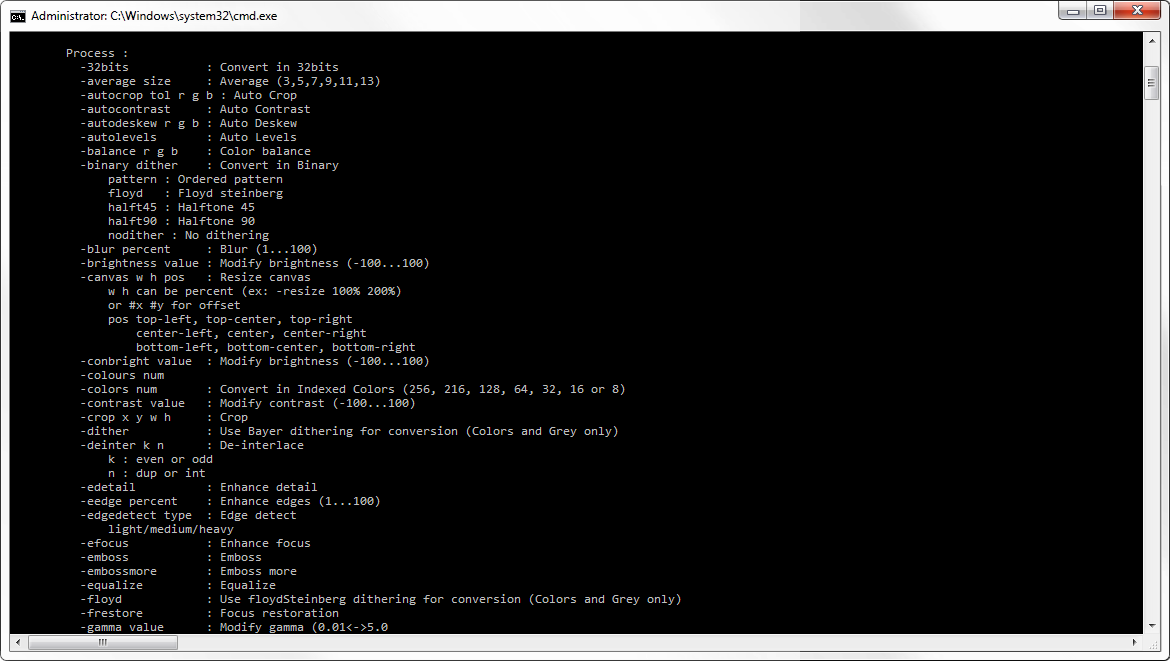
NConvert is a command-line image processing and conversion tool developed by XnView. It enables users to convert, resize, transform, and enhance image files in large batches using automated scripts or command-line instructions. The software supports hundreds of image formats, making it suitable for professionals working with diverse image libraries and workflows. It is designed for developers, system administrators, photographers, and enterprises that require high-volume image processing, automated pipelines, and integration into existing software environments. NConvert focuses on performance, flexibility, and scalability, allowing users to manipulate metadata, apply filters, and perform complex image transformations efficiently.
Features and Capabilities
- Broad File Format Support: Supports an extensive range of raster, vector, animated, and RAW image formats, enabling seamless conversion between different file types and ensuring compatibility across various digital imaging environments.
- Batch Image Processing: Enables simultaneous processing of thousands of image files, allowing users to apply consistent edits, conversions, and enhancements across entire image libraries while significantly reducing processing time.
- Command-Line Automation: Allows full automation of image processing tasks through command-line execution, making it easy to integrate into scripts, server jobs, CI/CD pipelines, and scheduled background processes.
- Image Transformation Tools: Provides advanced transformation options including resizing, cropping, rotating, flipping, perspective correction, and color adjustments to standardize and optimize image presentation.
- Metadata Management: Supports reading, editing, removing, and transferring metadata such as EXIF, IPTC, and XMP, helping users maintain accurate image information and compliance with digital asset management requirements.
- Image Enhancement Functions: Offers a wide range of enhancement tools such as brightness and contrast adjustments, sharpening, blurring, color corrections, and artistic effects to improve visual quality and consistency.
- Format Conversion Optimization: Preserves image quality during conversion by supporting compression settings, color depth adjustments, and color profile retention, ensuring optimized output for web, print, or archival purposes.
- Cross-Platform Compatibility: Operates across Windows, macOS, and Linux environments, enabling flexible deployment in mixed operating system infrastructures and enterprise IT environments.
- Watermark and Overlay Capabilities: Allows users to embed text or graphic overlays to protect intellectual property, maintain branding consistency, or add descriptive labels to images.
- Performance and Scalability: Optimized for high-performance processing, allowing organizations to manage large-scale image workloads efficiently while maintaining stability and processing accuracy.